Introduction
Recently, many readers have been confused about whether OpenClaw is considered AI and how it differs from ChatGPT and other models. In this article, we will clarify these concepts in simple terms.
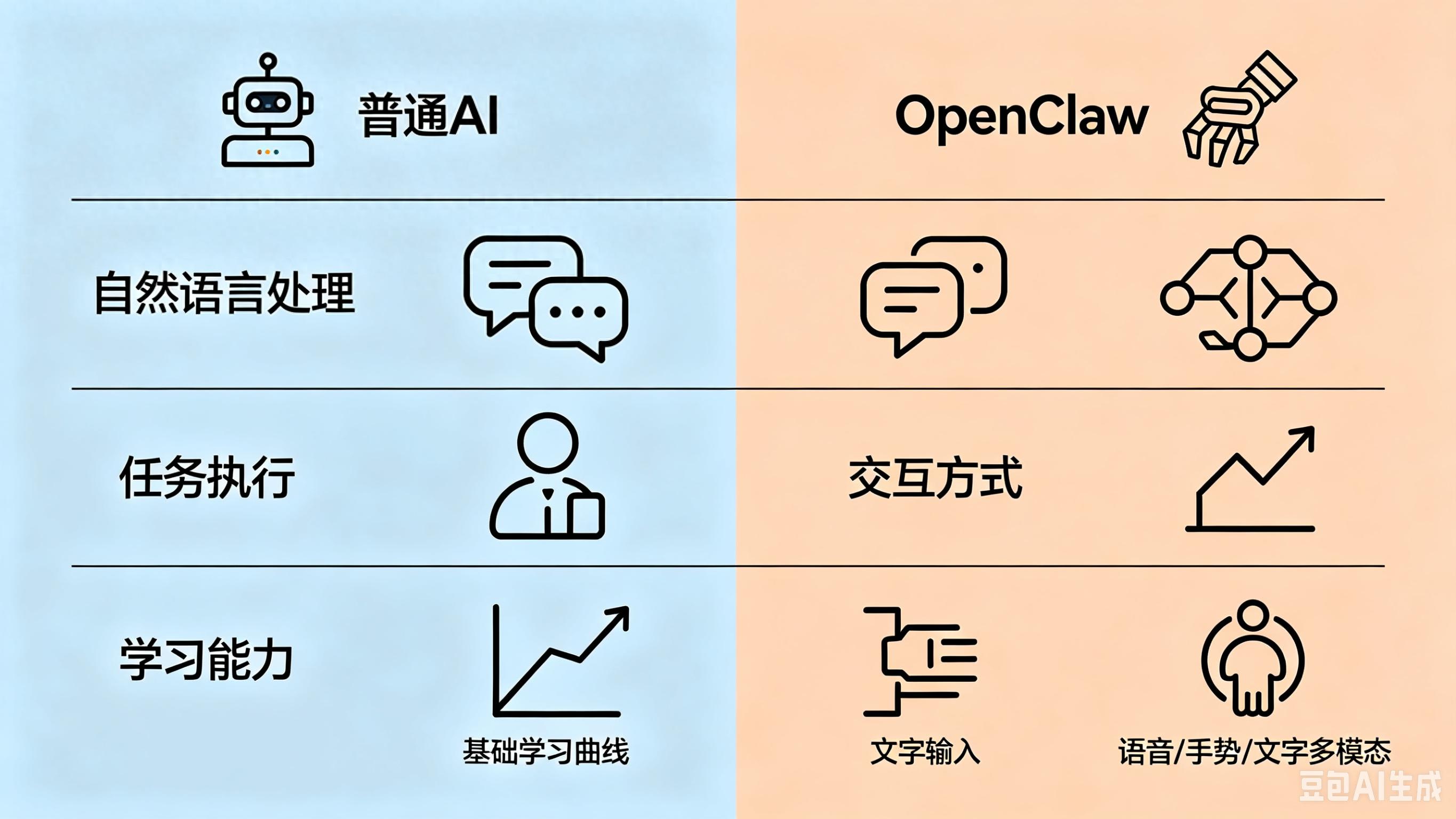
Core Difference: A Simple Analogy
Let’s use a relatable analogy to explain the differences:
| Role | Ability Features | Analogy Object | Typical Representatives |
|---|---|---|---|
| Regular AI Model | Can only respond passively; lacks persistent memory | Super Scholar (smart but restrained) | GPT, Wenxin Yiyan, Kimi |
| OpenClaw (AI Agent) | Can think and act; has long-term memory | All-round Assistant (smart brain with flexibility) | OpenClaw, QClaw (Tencent’s product based on OpenClaw) |
In simple terms, the AI model is like a brain, while OpenClaw is a complete “human” equipped with eyes, ears, hands, and a notebook.
Three Real-World Scenarios to Highlight Differences
Let’s look at three everyday examples to illustrate the differences:
Scenario 1: Booking Flights and Arranging Itineraries
-
Regular AI: If you ask it, “Help me book a flight to Sanya next Friday,” it will respond, “Please open the XX travel app, search for departure and destination, select the date, fill in passenger information…” (all text guidance, and you still have to do it yourself).
-
OpenClaw: You tell it, “Help me book a flight to Sanya next Friday, budget under 1500, window seat,” and it will automatically open your booking software, check flights, compare prices, select seats, complete payment, and even send you a confirmation along with hotel and transfer arrangements!
Scenario 2: Handling Work Emails
-
Regular AI: You ask it, “Help me process today’s emails,” and it replies, “Please forward the email content to me, and I can help you draft a response…” (you still have to manually forward the emails).
-
OpenClaw: After you grant it access to your email, it logs in automatically, categorizes emails, marks important information, replies to routine inquiries, summarizes emails that need your attention, and can even import customer inquiries into Excel to create reports!
Scenario 3: Managing Personal Schedules
-
Regular AI: You ask, “Remind me of the meeting at 3 PM tomorrow,” and it can only say, “I have noted it down; I will remind you at 3 PM tomorrow” (essentially just a voice memo).
-
OpenClaw: You say, “Help me schedule a meeting with Zhang at 3 PM tomorrow,” and it automatically checks both your calendars, finds a suitable time, sends out meeting invites, sets reminders, and even prepares meeting materials 10 minutes beforehand, generating minutes afterward!
Technical Insights: What is OpenClaw?
You might wonder if OpenClaw is more advanced than regular AI models. The answer is no! OpenClaw is essentially an open-source AI agent execution framework (think of it as an “operating system”). It lacks independent thinking and relies on AI models as its “brain.” Its core values include:
- Task Planning: Breaking down complex commands into smaller steps (e.g., breaking down “book a flight” into checking flights, selecting seats, and payment).
- Tool Invocation: Automatically opening and operating various software, websites, and APIs (like its “hands and feet”).
- Persistent Memory: Remembering your preferences and historical actions (e.g., you prefer window seats and have a budget limit).
- Autonomous Execution: Completing entire processes without requiring step-by-step guidance.
In contrast, regular AI models are like a “genius” trapped in a chat box—knowledgeable and articulate but unable to interact proactively with the outside world.
How to Use? Two Options for Different Users
Now that you understand the differences, how should regular users utilize these tools? Here are two scenarios:
-
For Non-Technical Users (Recommended): Use QClaw (Tencent’s Lobster AI)! It is a ready-to-use AI assistant based on OpenClaw, with one-click installation, a graphical interface, and no coding required. You can use it to:
- Remotely control your computer via WeChat (e.g., turn it off or transfer files while away).
- Automatically organize desktop files and categorize photos.
- Schedule posts and respond to WeChat messages automatically.
-
For Tech Enthusiasts (Advanced): Try the native OpenClaw! It is 100% open-source, offering maximum freedom. You can:
- Deploy it locally for better data security.
- Integrate any AI model you like (GPT, Claude, Wenxin Yiyan, etc.).
- Customize tools and processes to create your own AI assistant.
Conclusion: Which One to Choose? Consider Your Needs!
| Need Type | Recommended Choice | Core Reason |
|---|---|---|
| Research, writing, solving math problems | Regular AI Model | Fast response, comprehensive knowledge, suitable for pure information processing |
| Booking flights, sending emails, managing schedules | OpenClaw/QClaw | Can take action, freeing your hands, completing tasks end-to-end |
| Deep customization, data privacy required | Native OpenClaw | Open-source, local deployment, complete control |
Discussion Topic: What do you most want AI to help you with?
After reading this, do you finally understand the difference between AI and OpenClaw? Regardless of the tool, they are designed to help us improve efficiency and free our hands.
I would love for OpenClaw to help me filter quality comments and reply to them, allowing me more time to engage with everyone! What about you? Let me know in the comments what you most want AI to solve, and I will create a custom automation plan using OpenClaw for the top three most liked comments!
If this article helped you, don’t forget to like and follow for more practical AI tool tips to stay ahead in the AI era!
Comments
Discussion is powered by Giscus (GitHub Discussions). Add
repo,repoID,category, andcategoryIDunder[params.comments.giscus]inhugo.tomlusing the values from the Giscus setup tool.